A view of your floor.
A place for every tab.
Find your tables and open tabs on the floor plan. Group tables to suit the service and keep a tab open even after the table is free.
Tables · Individual tabs · BarBusiness software for bars and bistros
Bistro Tablet connects front-of-house service with the daily management of your venue. Handle orders and bills on tablet, then track stock and purchasing from the back office.
Tablet service on the floor. Operational oversight in the back office.
Orders, bills and operational oversight
An interface built around day-to-day service.
Actual app · French interface · demo data
DURING SERVICE
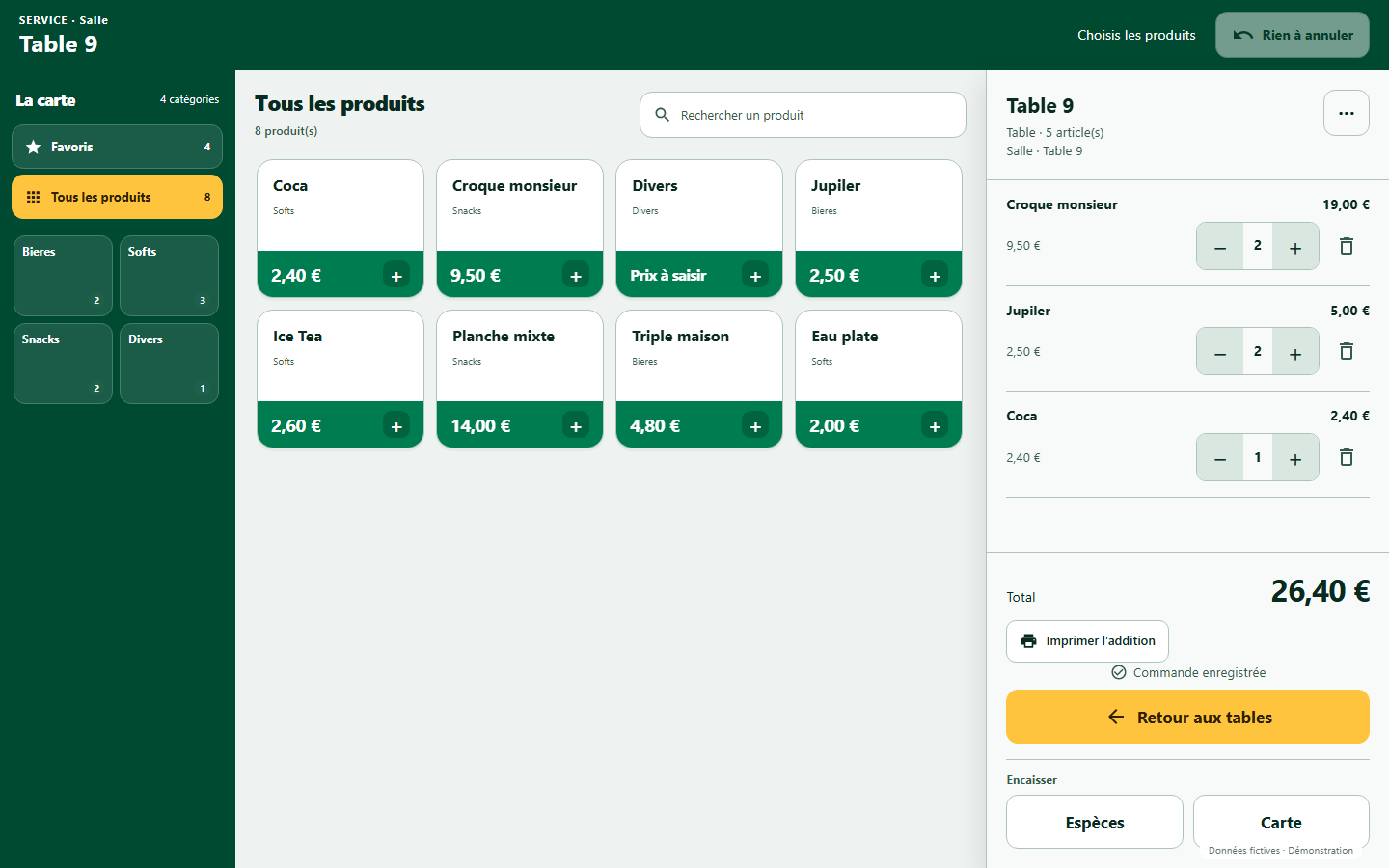
View the floor plan, take orders and track bills on tablet. Record payments made through your external payment terminal to keep a record in the application.
Find your tables and open tabs on the floor plan. Group tables to suit the service and keep a tab open even after the table is free.
Tables · Individual tabs · BarBrowse your categories, find your favourites and add products to the order. Quantities and the bill stay visible in the same touch interface.
Categories · Favourites · SearchRecord cash payments with change calculated, or confirm a payment accepted on your card terminal. Preview and print the bill or receipt.
Cash · Card · Bills & receiptsBEHIND THE SCENES
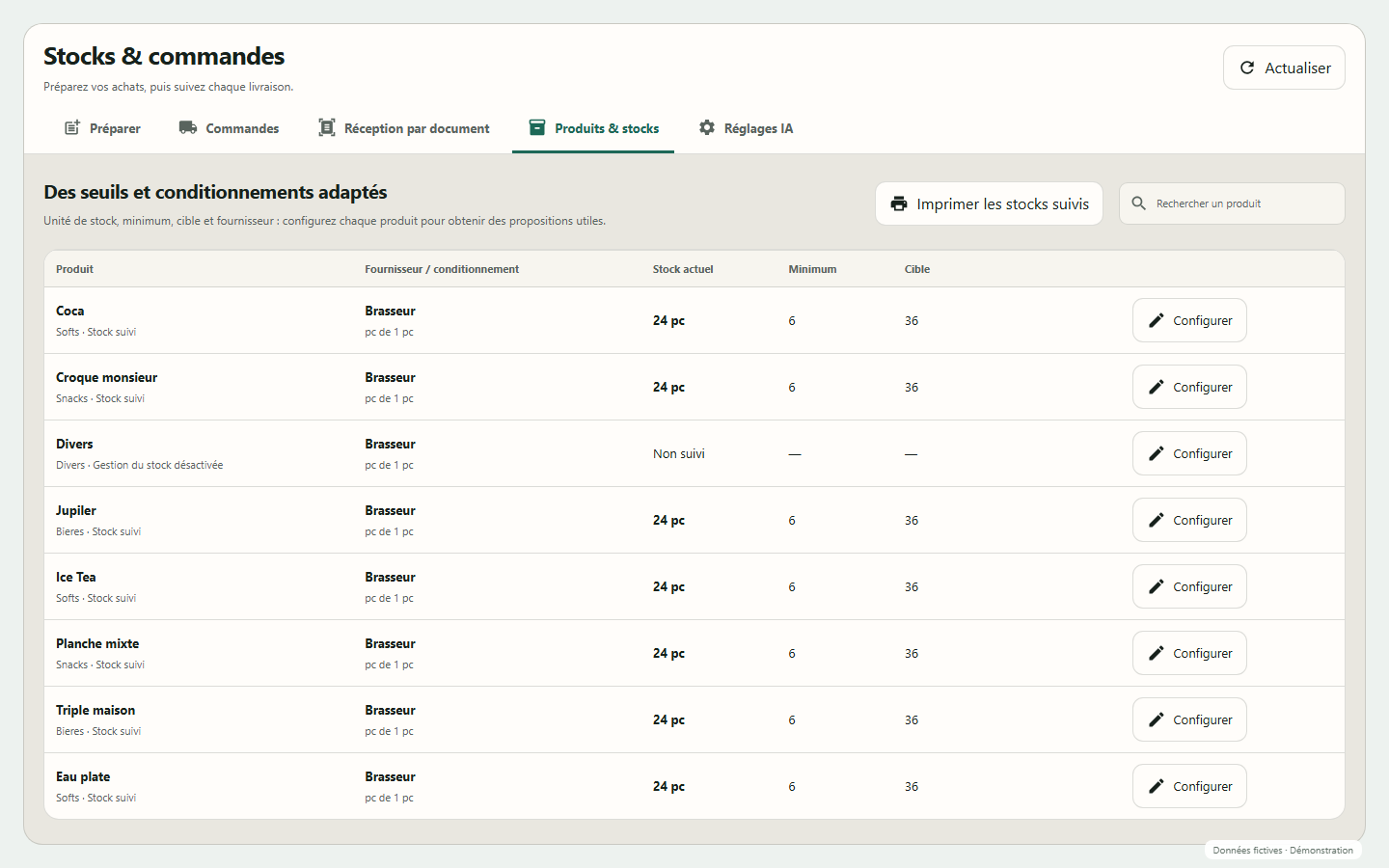
Track sales and stock, manage supplier purchases and record deliveries. The back office brings together the information you need to follow your venue’s daily operations.
Track products, stock movements and your restocking thresholds.
Prepare supplier orders, adjust quantities and record deliveries, including part deliveries.
Manage the menu and prices, and view sales and till reports from the admin area.
Your team on the floor.
Your figures to hand.
FOR HOSPITALITY PROFESSIONALS
Bistro Tablet is designed for owners and teams who want to organise service and keep track of their venue’s operations. A demonstration lets you assess the solution against your own requirements.
An Android tablet interface for service. A management workspace accessible in your browser.
Discuss your requirementsThe service interface is designed for an Android tablet. The admin area is accessible in a browser. A demo is a chance to discuss your equipment and how you work.
Yes. Bistro Tablet handles table tabs, individual tabs and direct sales. You can also free up a table while keeping its tab open, then find it again in the list of tabs.
The customer pays on your card terminal. Once the payment is accepted, you confirm its recording in Bistro Tablet. The card terminal remains separate from the app.
Prepare and check the order in the app, then copy or export the summary to send it through your usual channel. You can then track the quantities actually delivered in Bistro Tablet.
Request a demo: we can walk you through the app, discuss your needs and explain the setup options suited to your venue.
DISCOVER BISTRO TABLET
Tell us about your venue and what you need. XVO Solutions will introduce you to Bistro Tablet through a demonstration focused on the way you work.
info@xvo-solutions.beOpen your email app to send your request to info@xvo-solutions.be, or copy the message below.
Open my email app